Simple Budget ← All how-to guides

Restore Your Simple Budget Data

5 steps
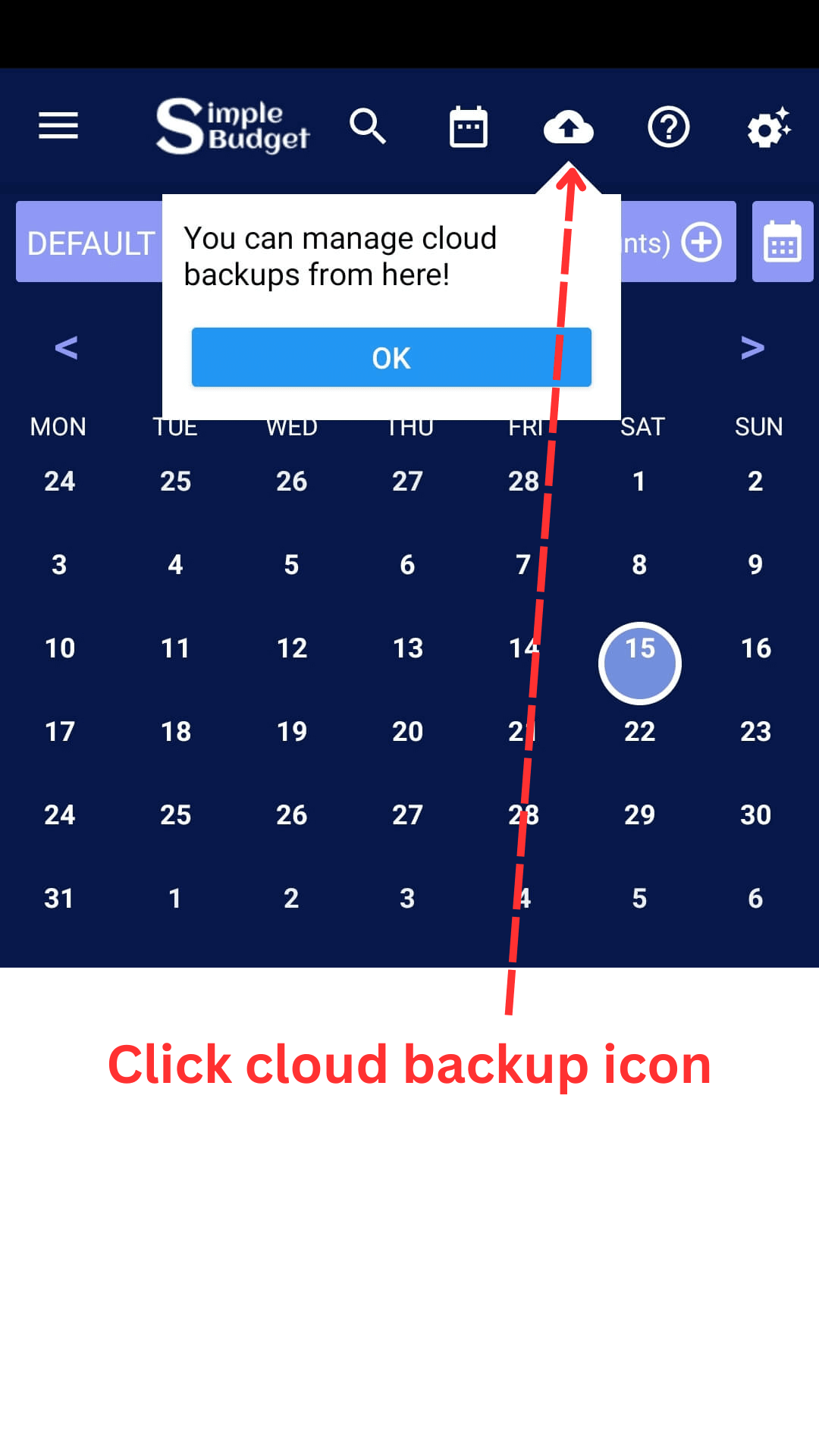
  1. Open cloud backup

    Restore Your Simple Budget Data: Open cloud backup
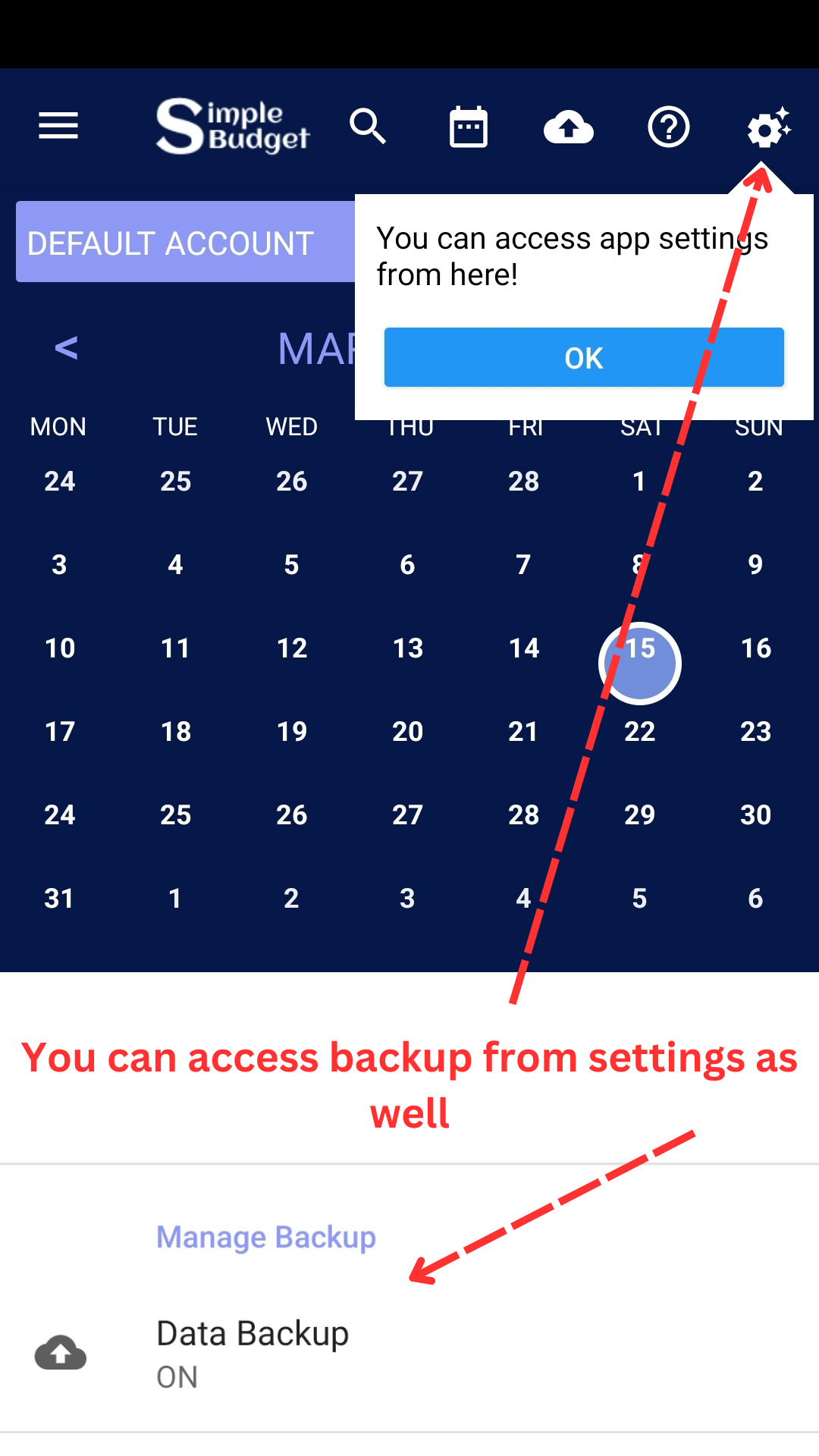
  2. Or go to data backup from settings

    Restore Your Simple Budget Data: Or go to data backup from settings
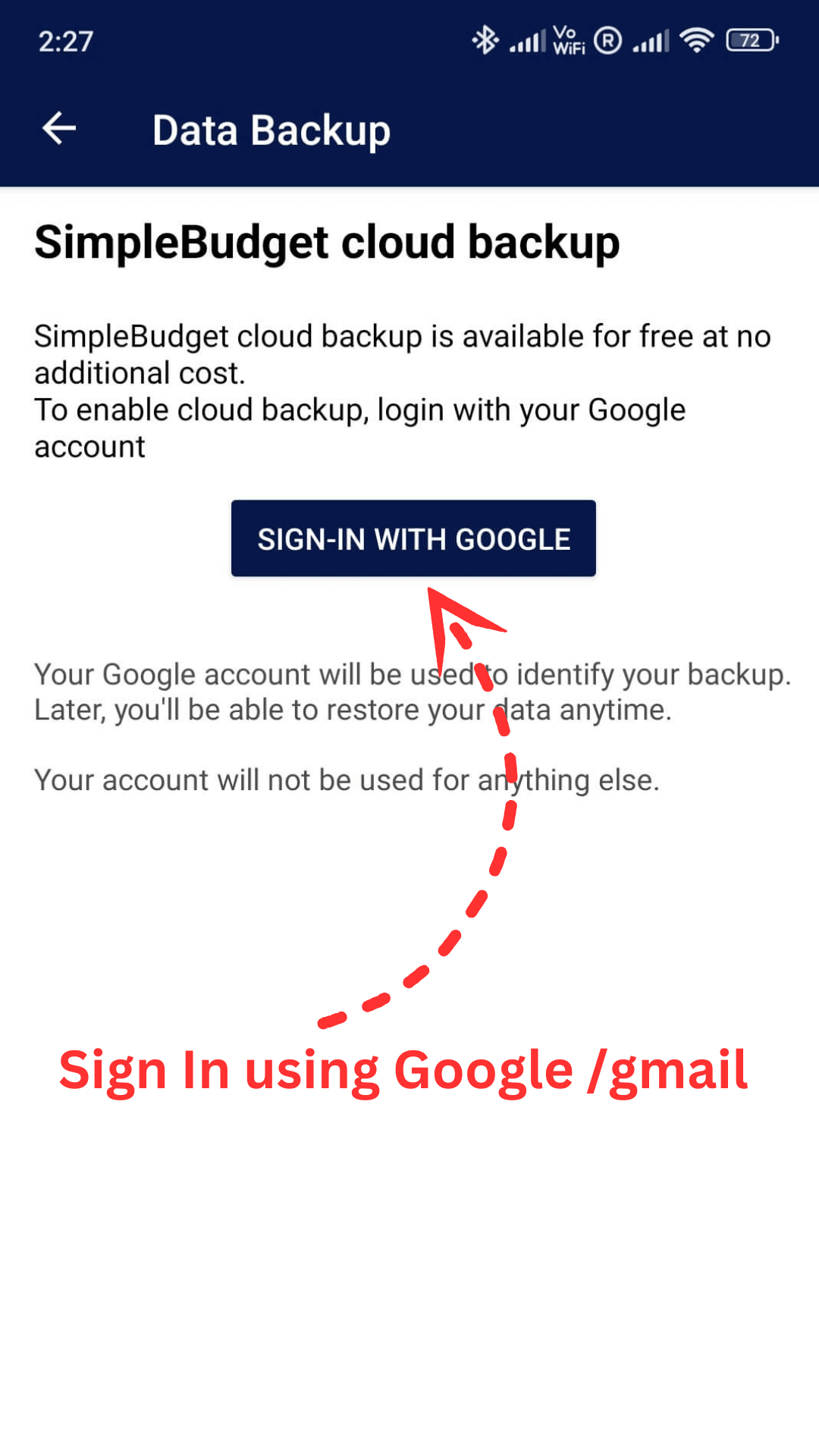
  3. Sign in to your account

    Restore Your Simple Budget Data: Sign in to your account
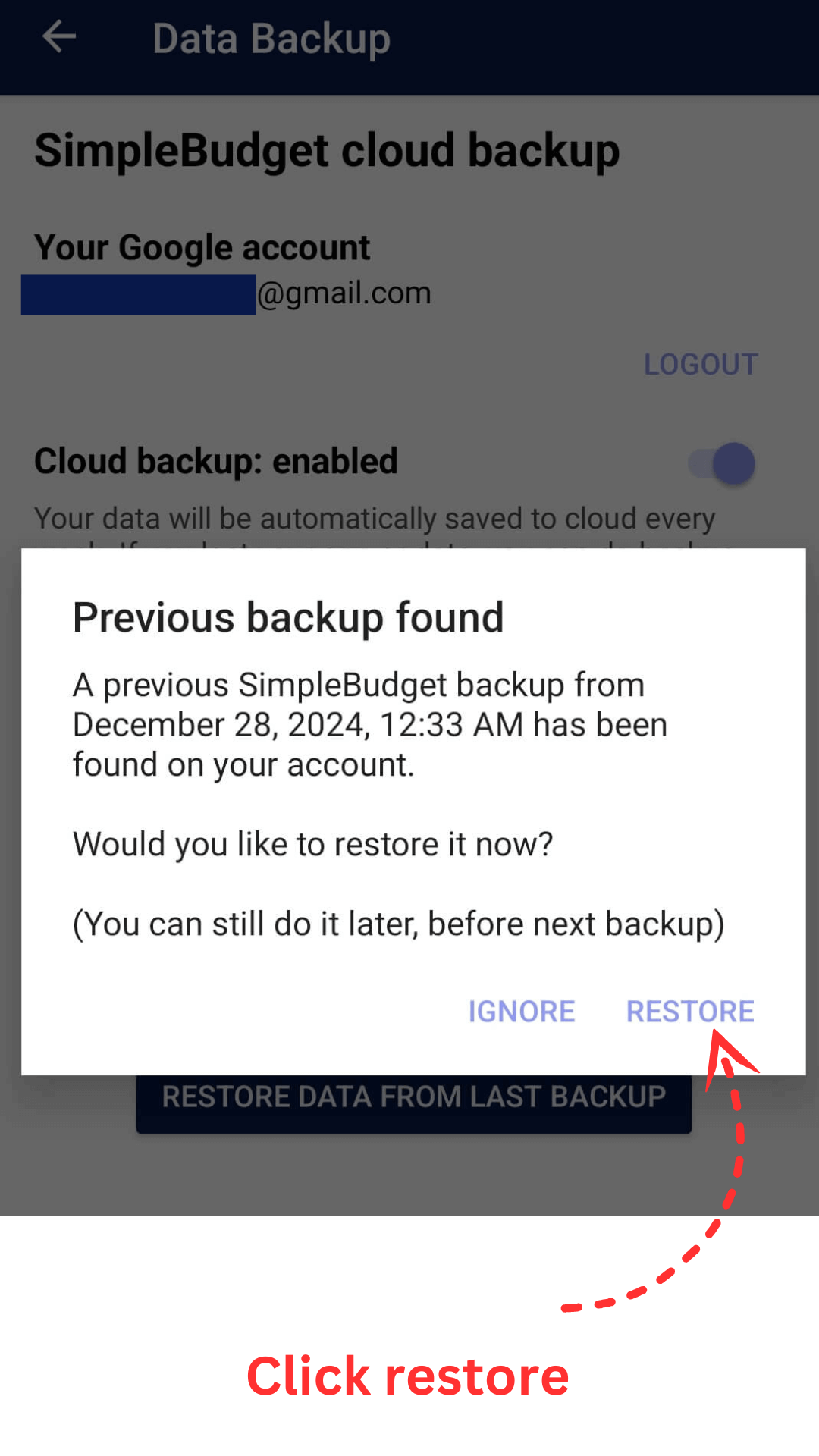
  4. Click restore

    Restore Your Simple Budget Data: Click restore
  5. You can restore from this option as well
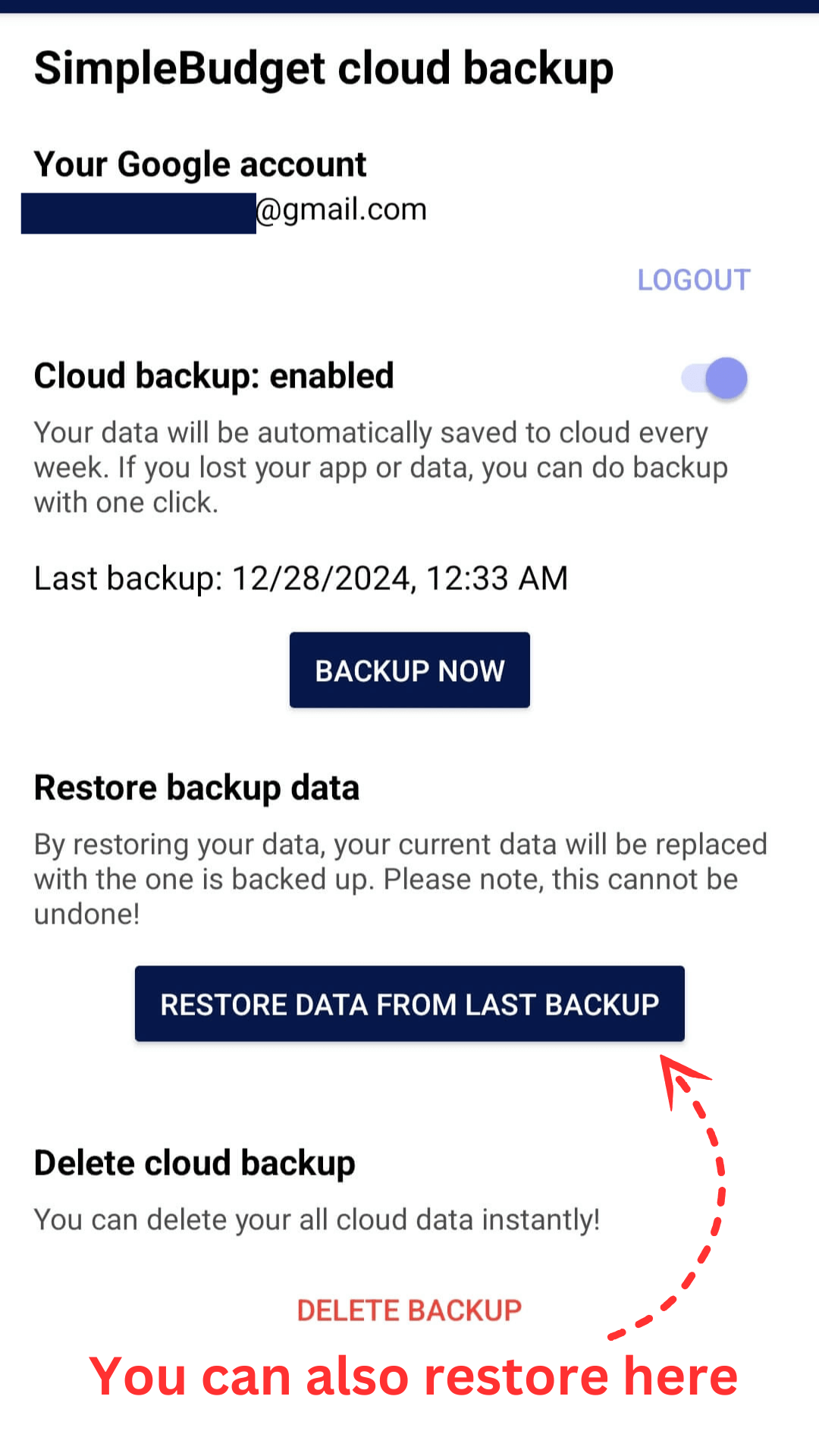
    Restore Your Simple Budget Data: You can restore from this option as well