Simple Budget ← All how-to guides

Manage Accounts

9 steps
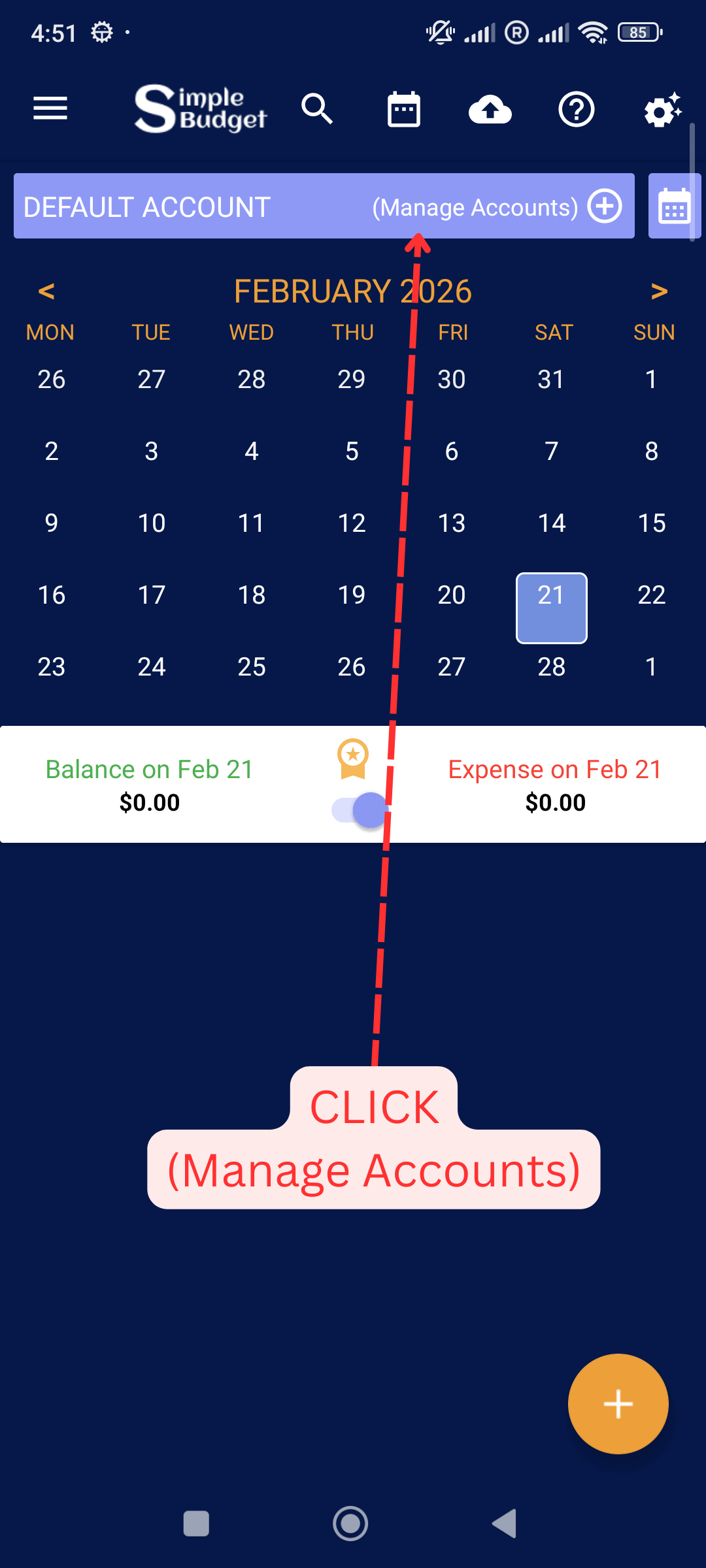
  1. Click Manage Accounts

    Manage Accounts: Click Manage Accounts
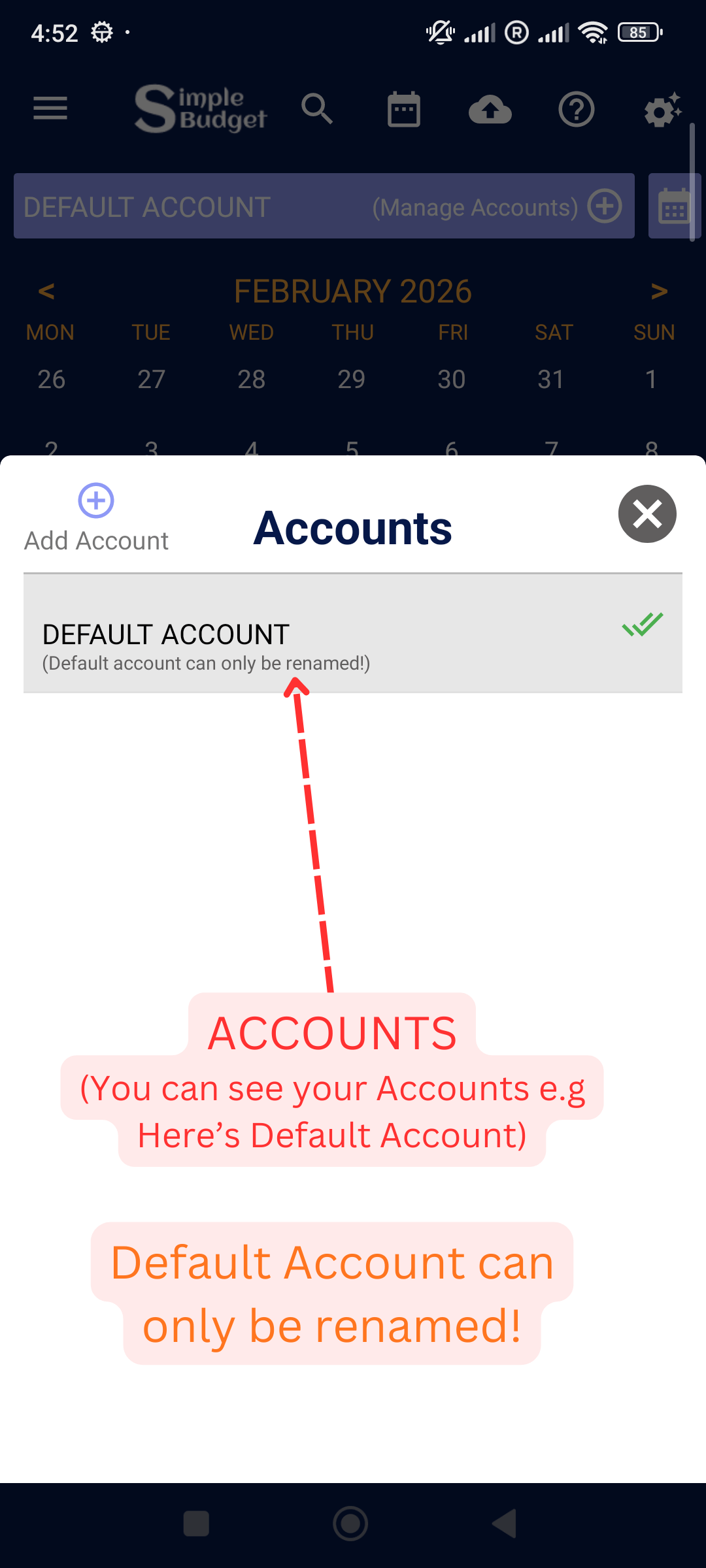
  2. You can see all of your Accounts

    Manage Accounts: You can see all of your Accounts
  3. Click Account To See Edit / Select options.
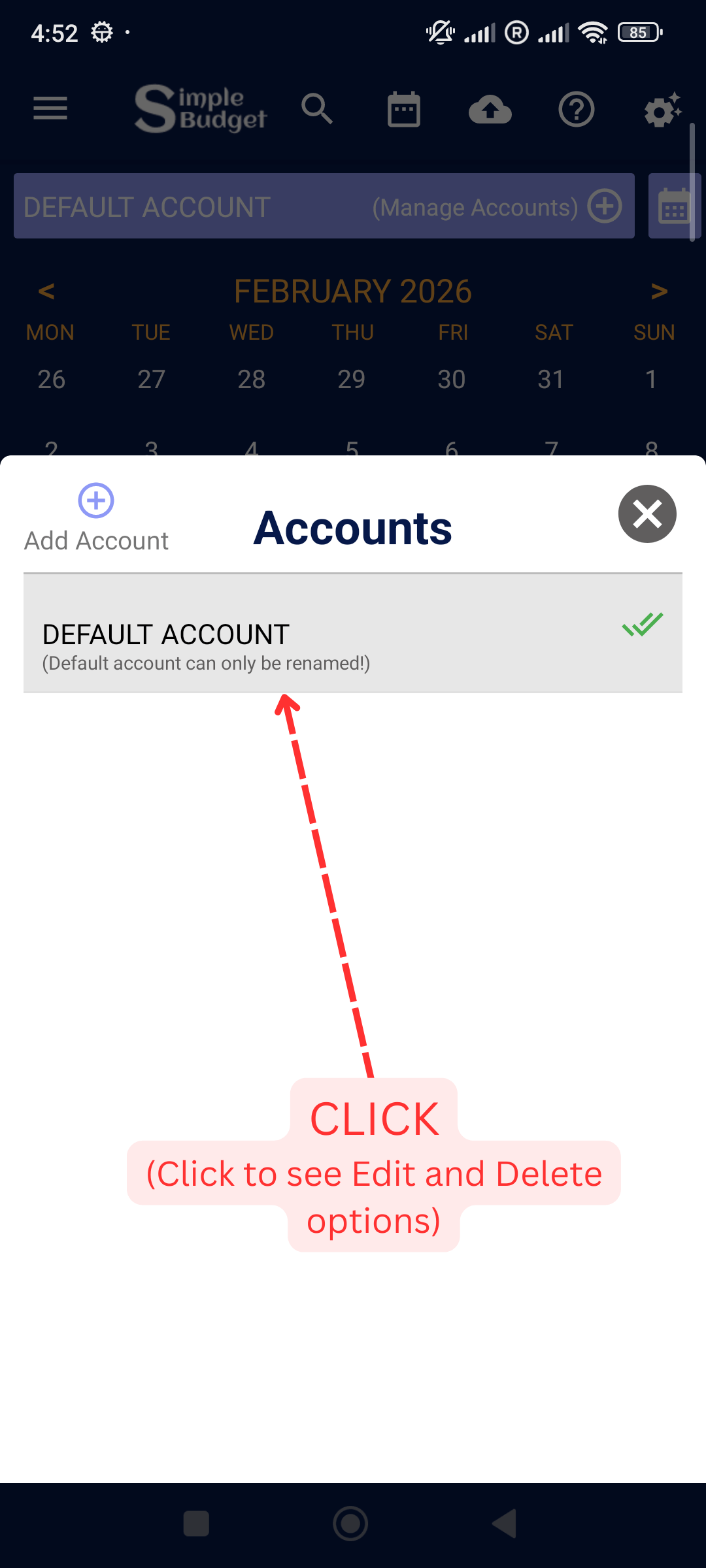
    Manage Accounts: Click Account To See Edit / Select options.
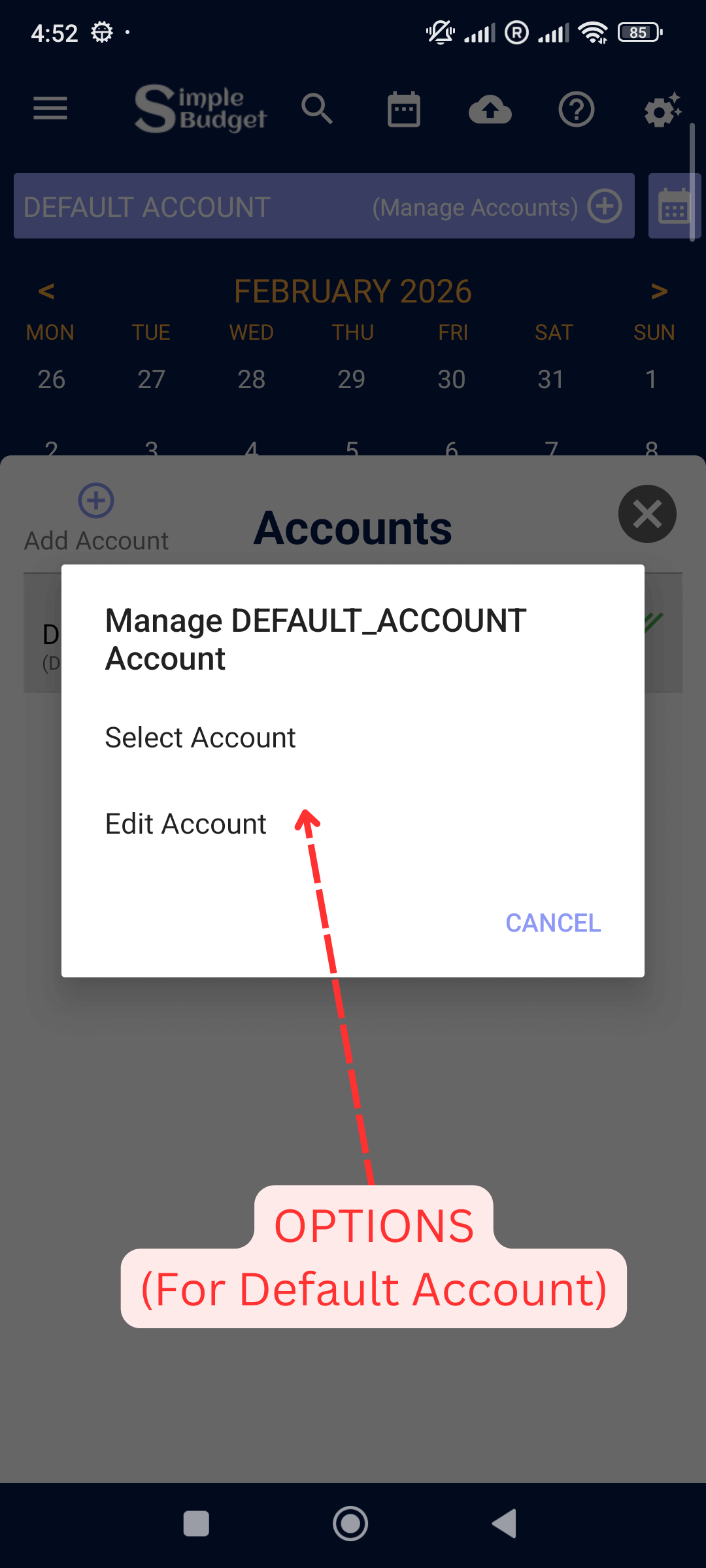
  4. Default Account options

    Manage Accounts: Default Account options
  5. You can add more Accounts if you are a Premium User!
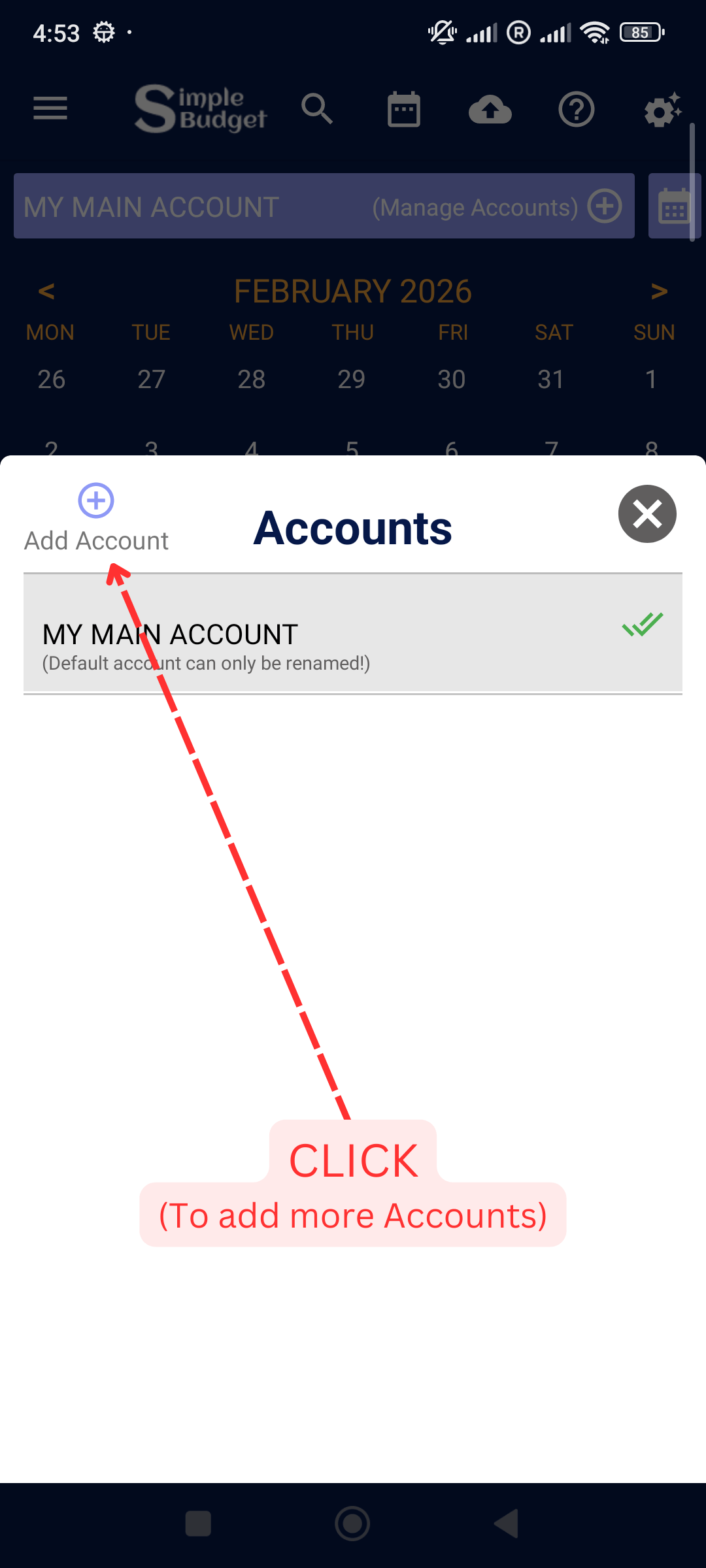
    Manage Accounts: You can add more Accounts if you are a Premium User!
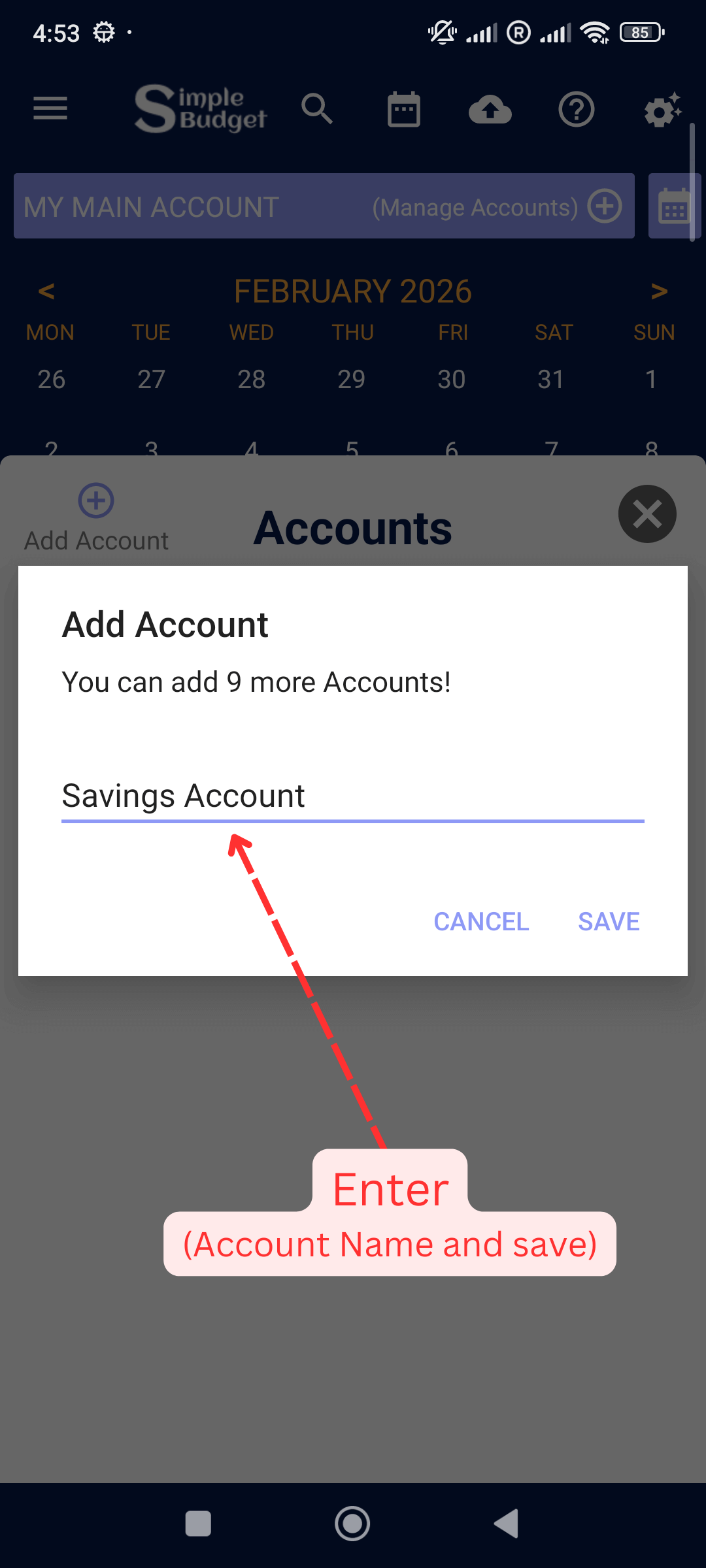
  6. Enter Account name and Save

    Manage Accounts: Enter Account name and Save
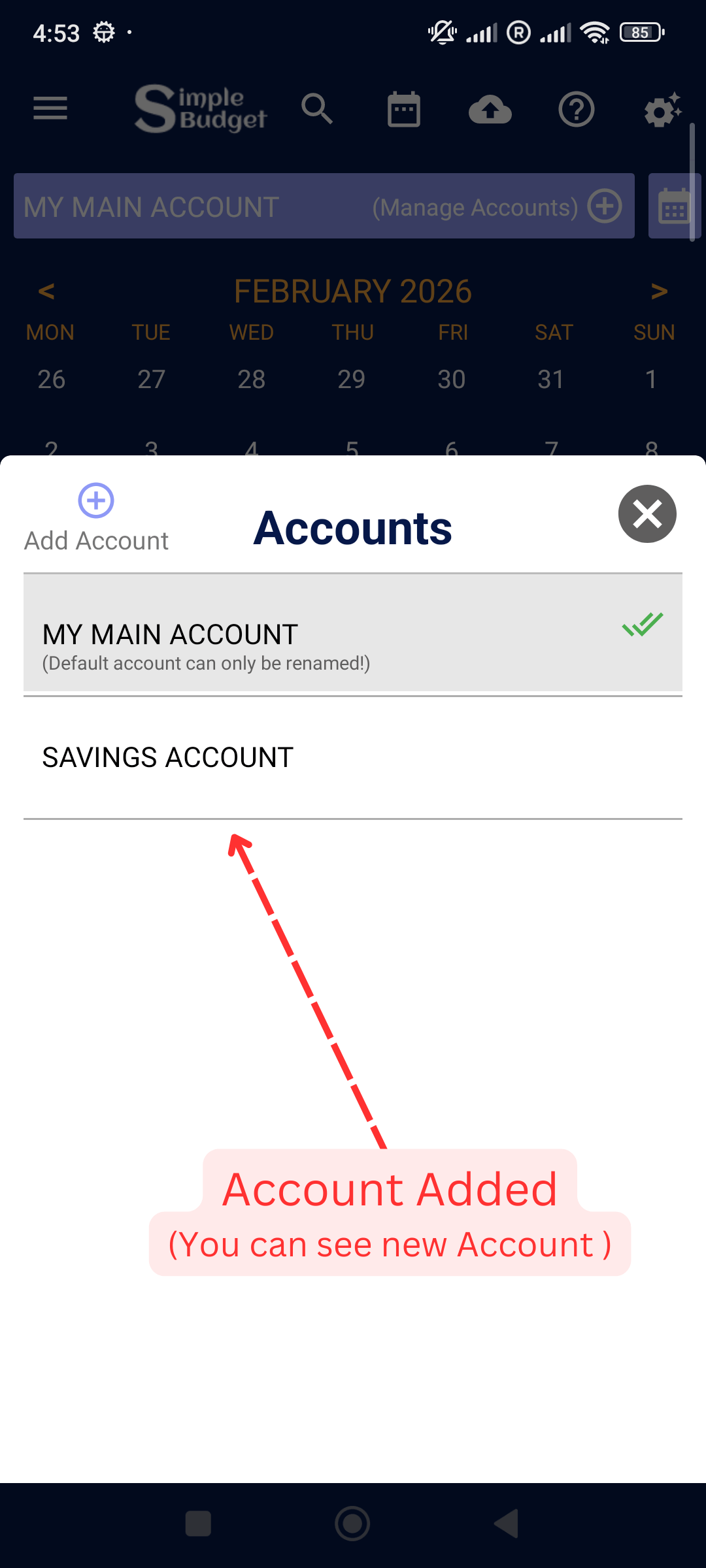
  7. New Account Added

    Manage Accounts: New Account Added
  8. Click newely added Account to see options
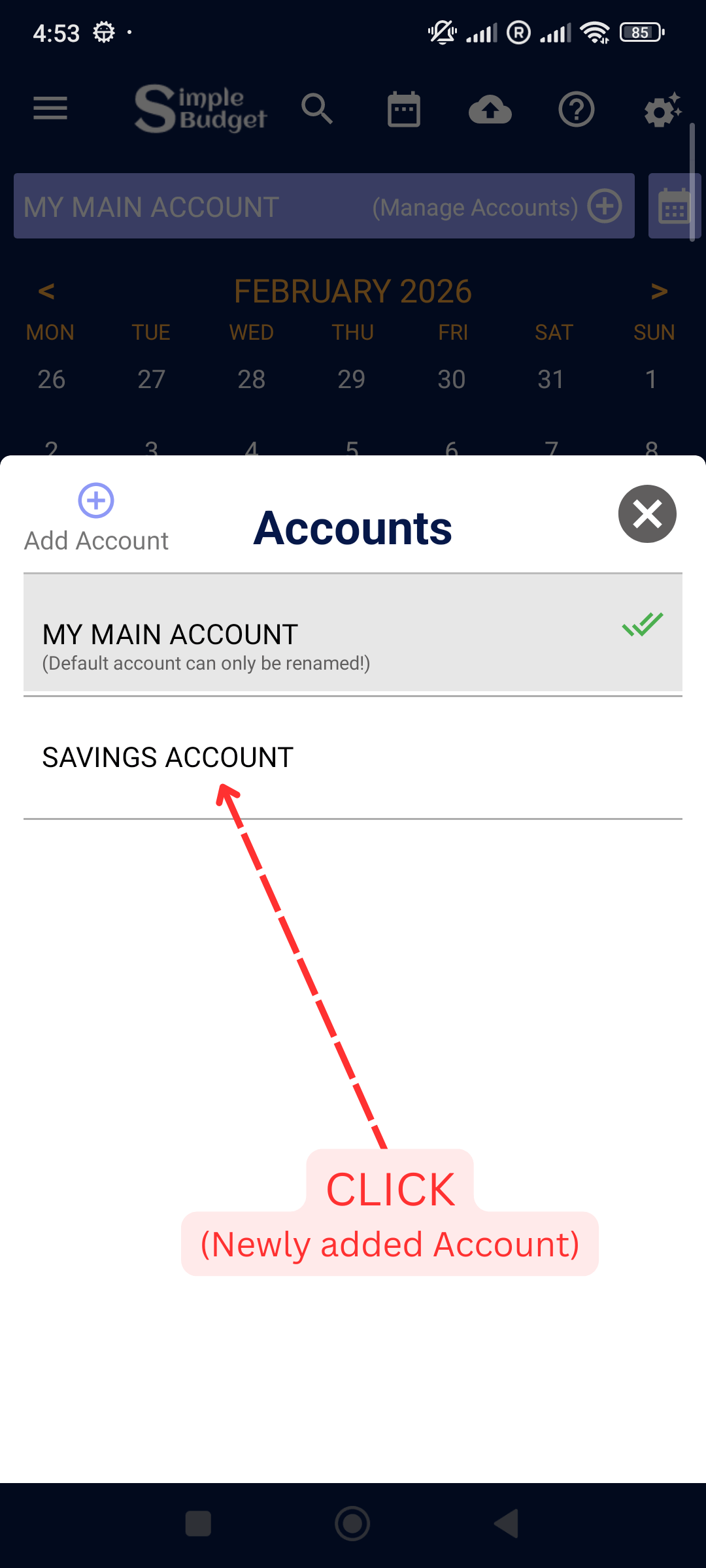
    Manage Accounts: Click newely added Account to see options
  9. You can Select this account to see the expenses , Edit ant Delete it as well.
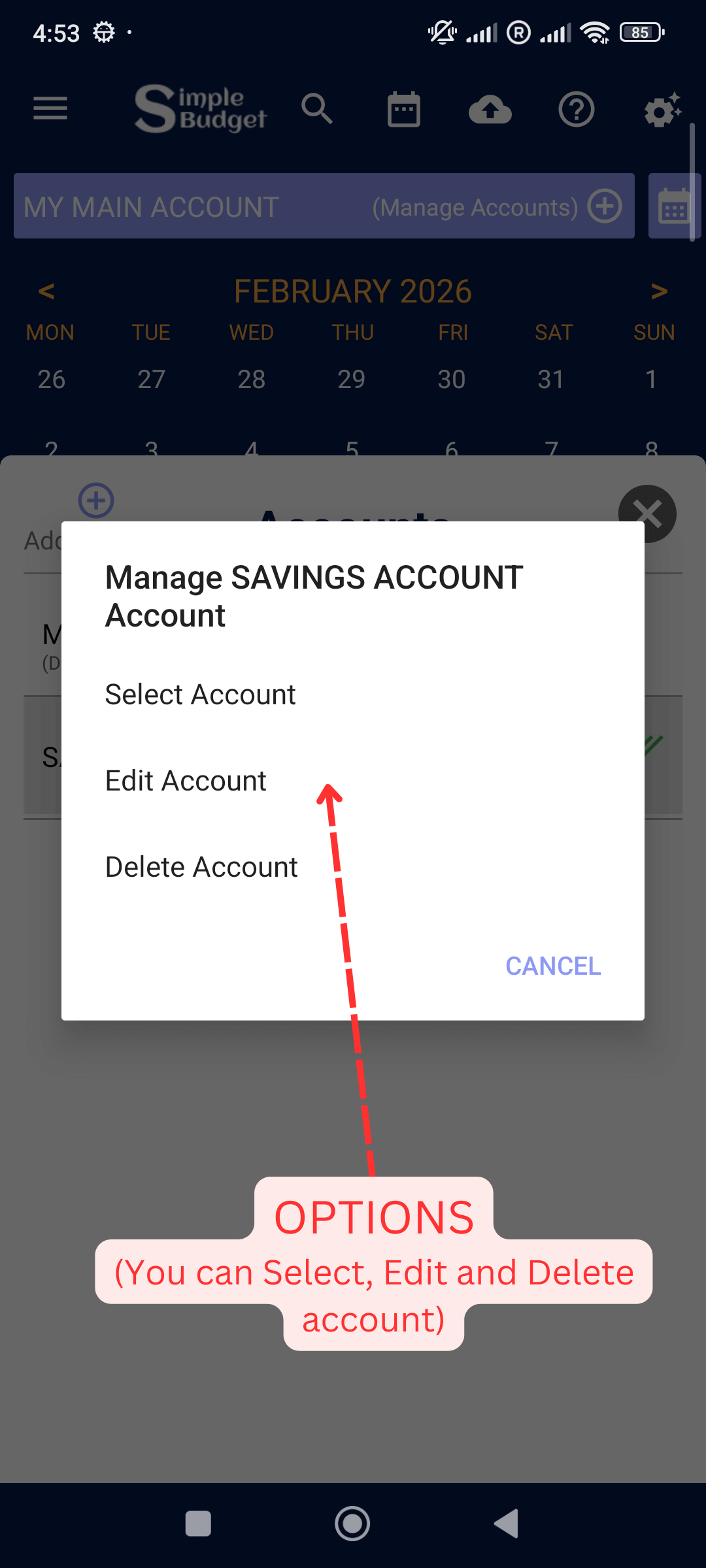
    Manage Accounts: You can Select this account to see the expenses , Edit ant Delete it as well.