
Simple Budget Data Deletion Request
If you have enabled data backup, you can delete your data from the cloud. Otherwise, just uninstall the Simple Budget app — your data will be deleted!
-
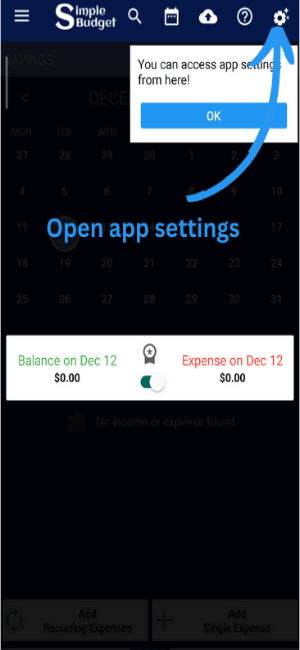
Open app Settings
-
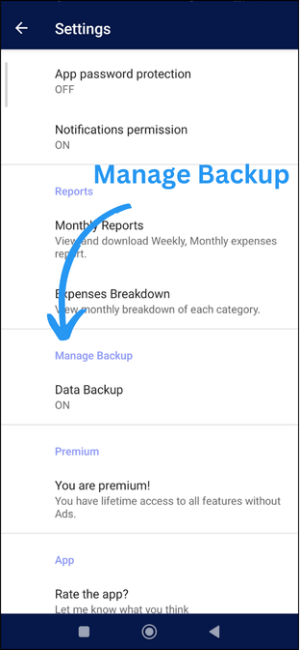
Go to Manage Backup
-
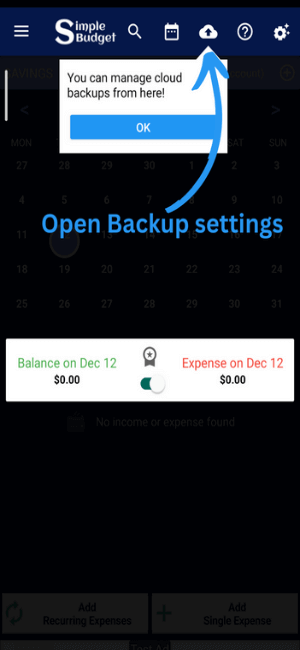
Or access Data Backup directly
-
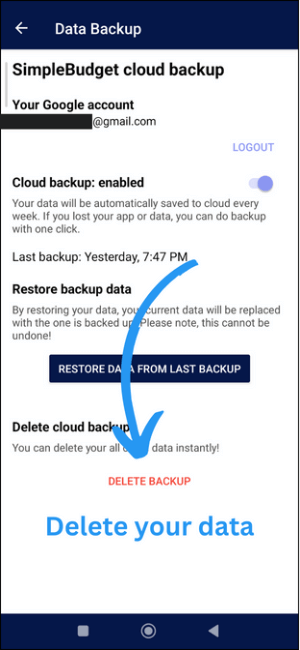
Delete Backup (Login if you are not logged in)
-
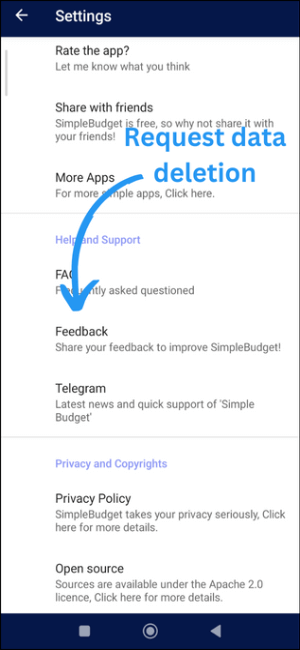
Request data deletion by submitting Feedback
-
Or Send Email Request
Alternatively, you can send us an email with the subject "Data Deletion Request" to request data deletion.


