Simple Budget ← All how-to guides

Add / Edit Categories

9 steps
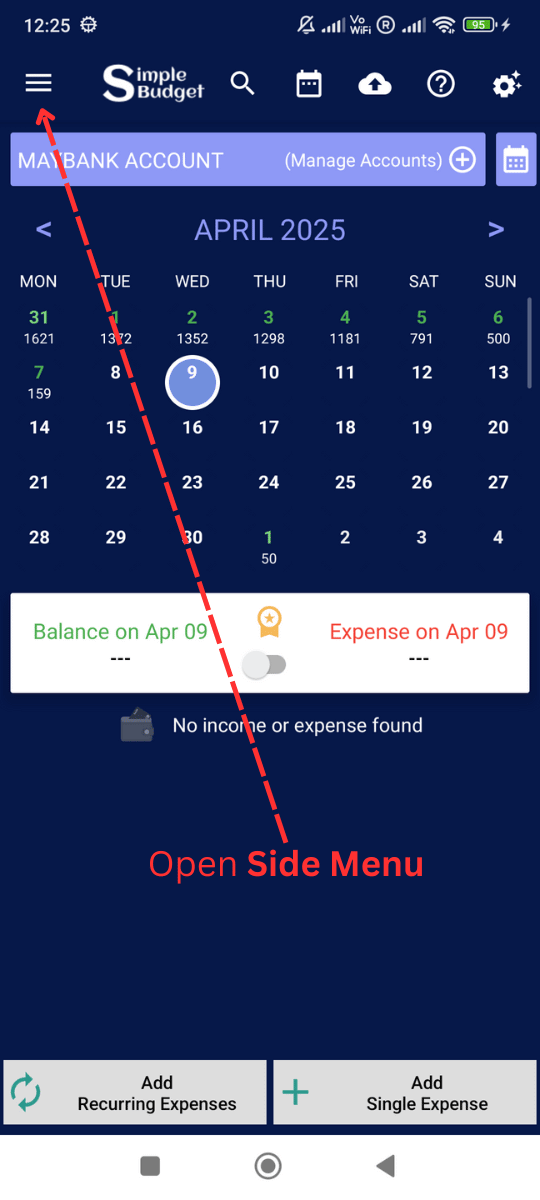
  1. Open side menu

    Add / Edit Categories: Open side menu
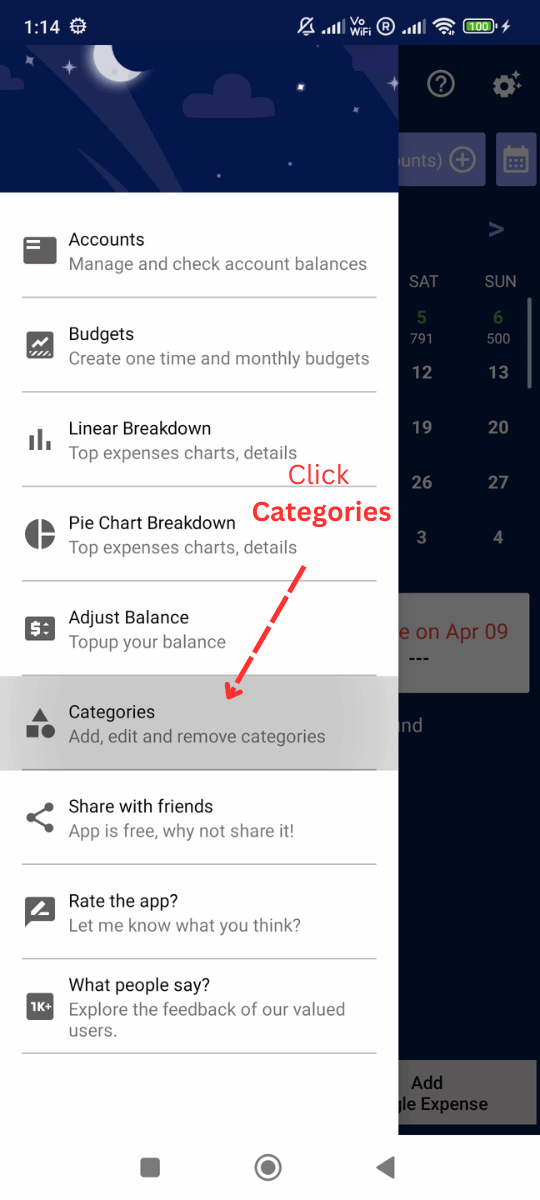
  2. Click Categories

    Add / Edit Categories: Click Categories
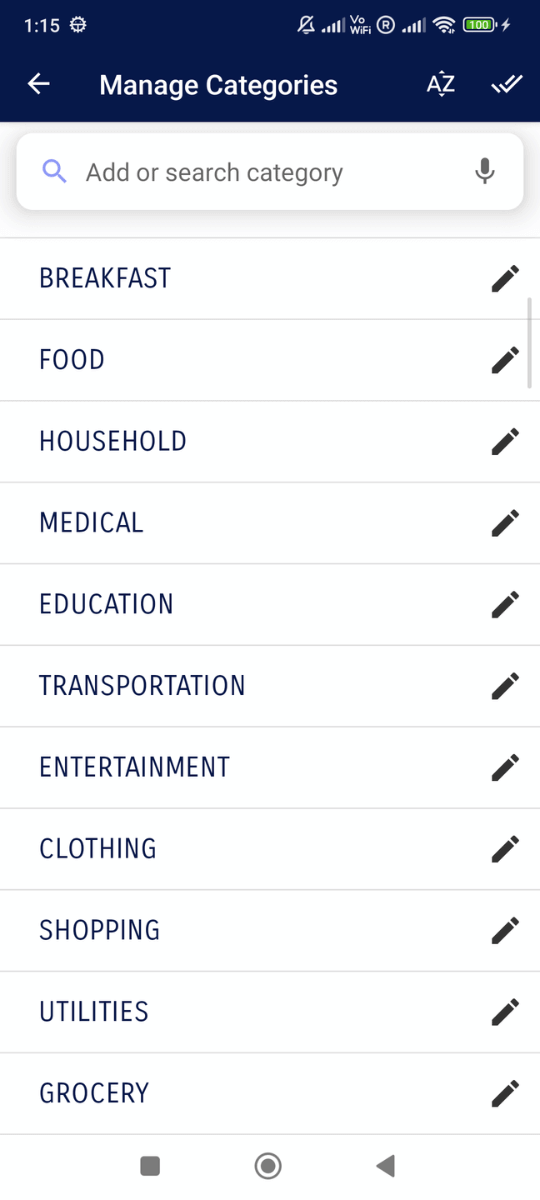
  3. You can see all Categories

    Add / Edit Categories: You can see all Categories
  4. Type your new category and Click 'Add'
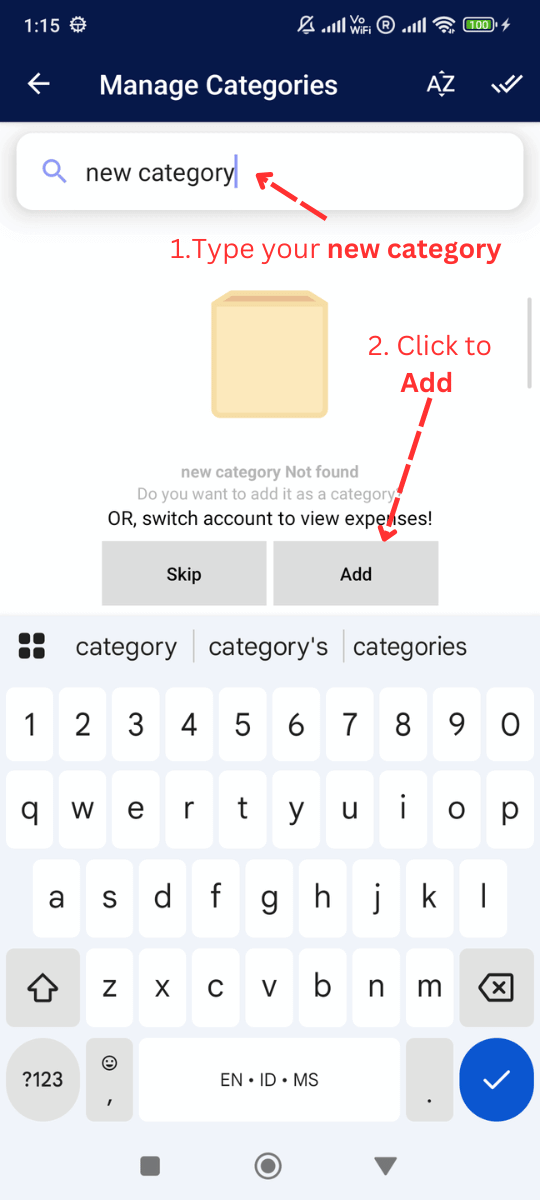
    Add / Edit Categories: Type your new category and Click 'Add'
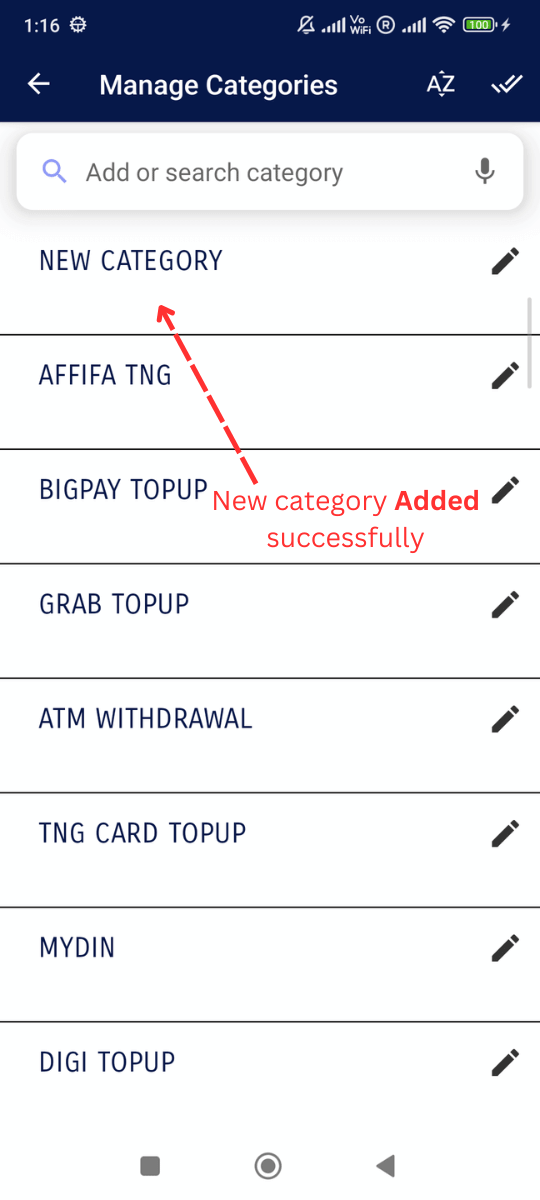
  5. New category added successfully

    Add / Edit Categories: New category added successfully
  6. You can also Edit any category by clicking it
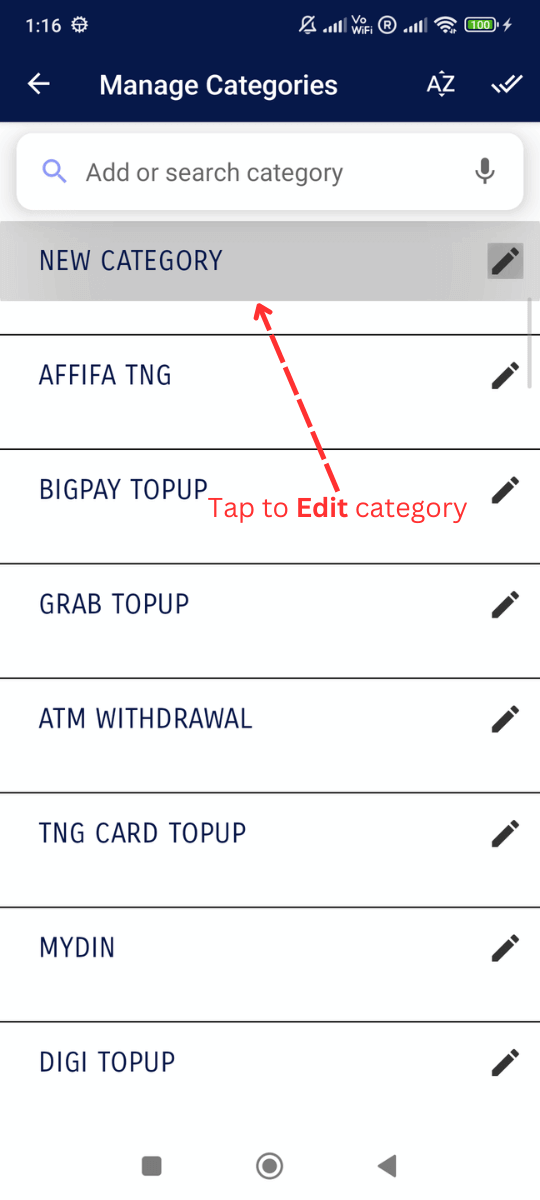
    Add / Edit Categories: You can also Edit any category by clicking it
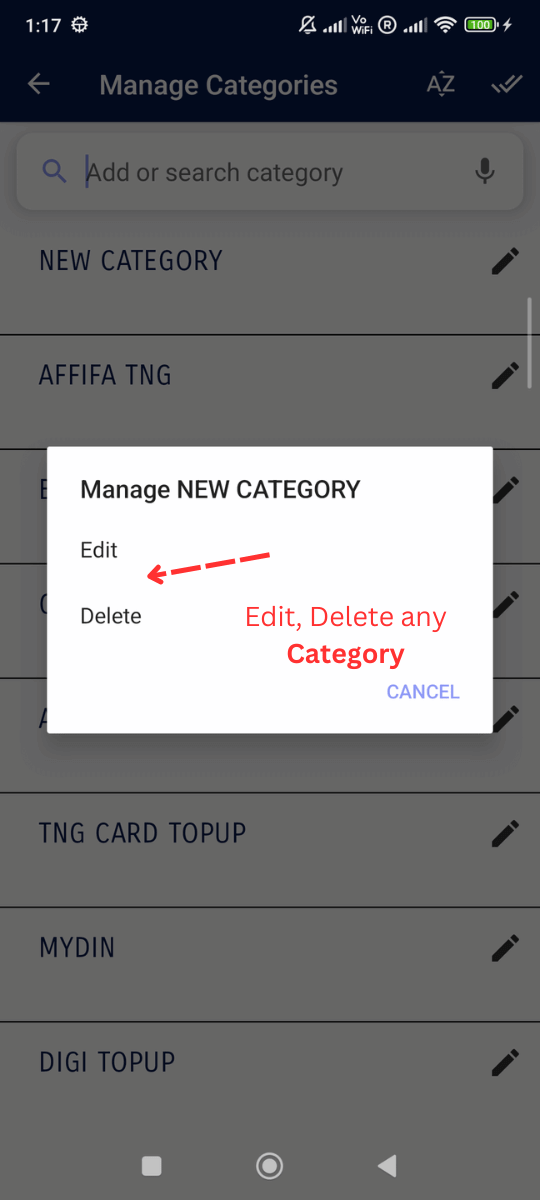
  7. You can Edit and Delete any category

    Add / Edit Categories: You can Edit and Delete any category
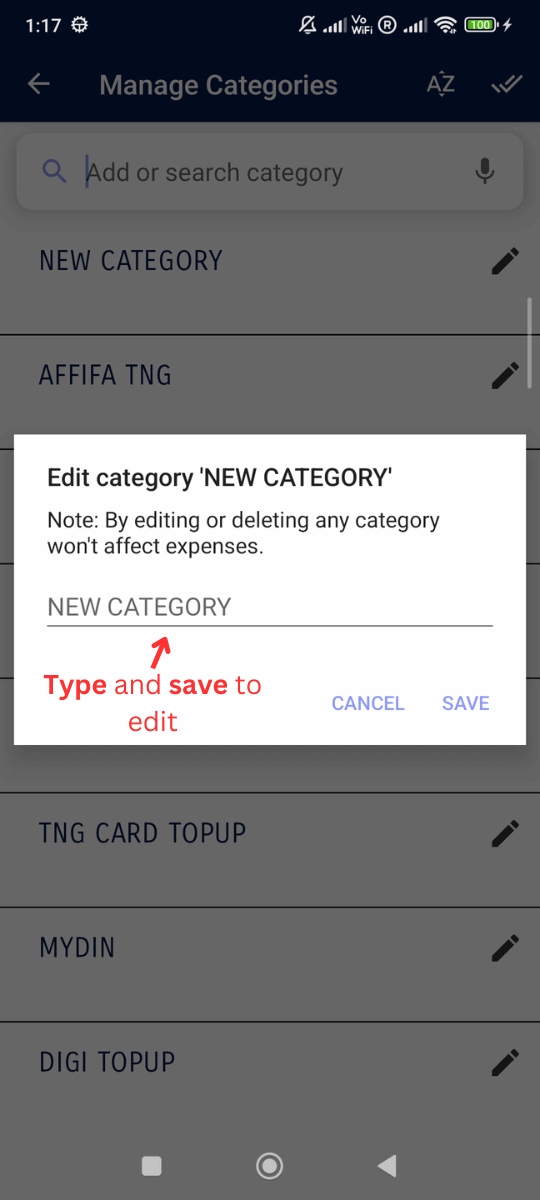
  8. Type to edit and click save

    Add / Edit Categories: Type to edit and click save
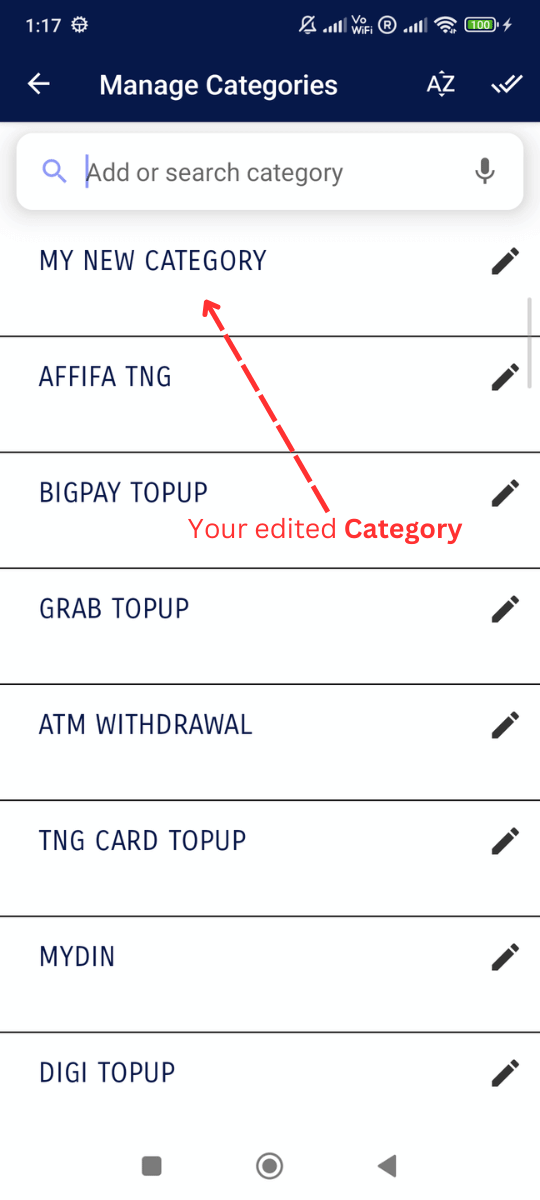
  9. Successfully edited your category!

    Add / Edit Categories: Successfully edited your category!