Simple Budget ← All how-to guides

Add Monthly Budget

10 steps
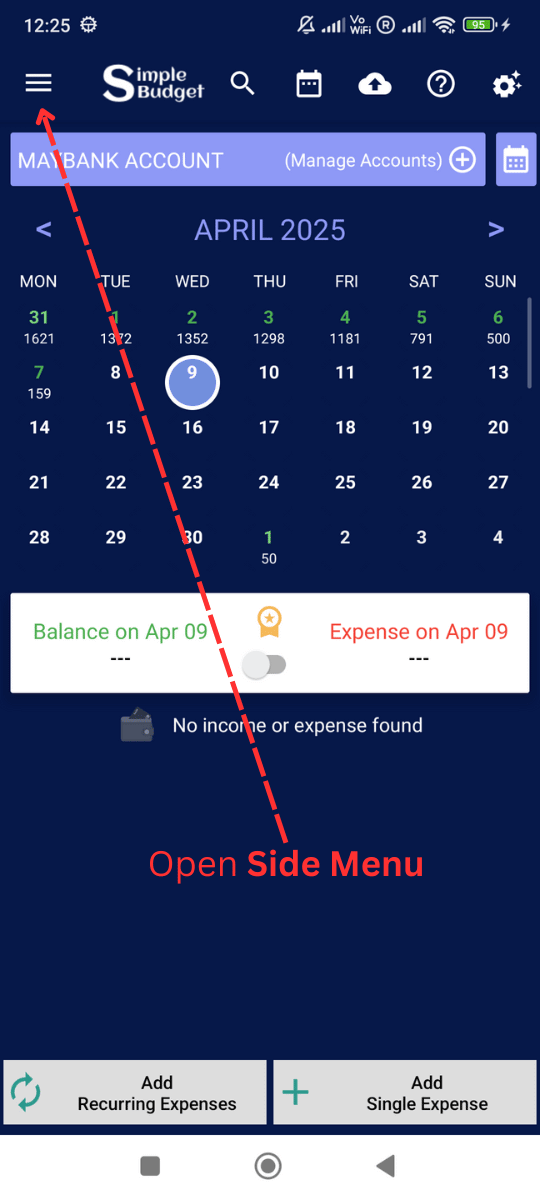
  1. Click Side Menu

    Add Monthly Budget: Click Side Menu
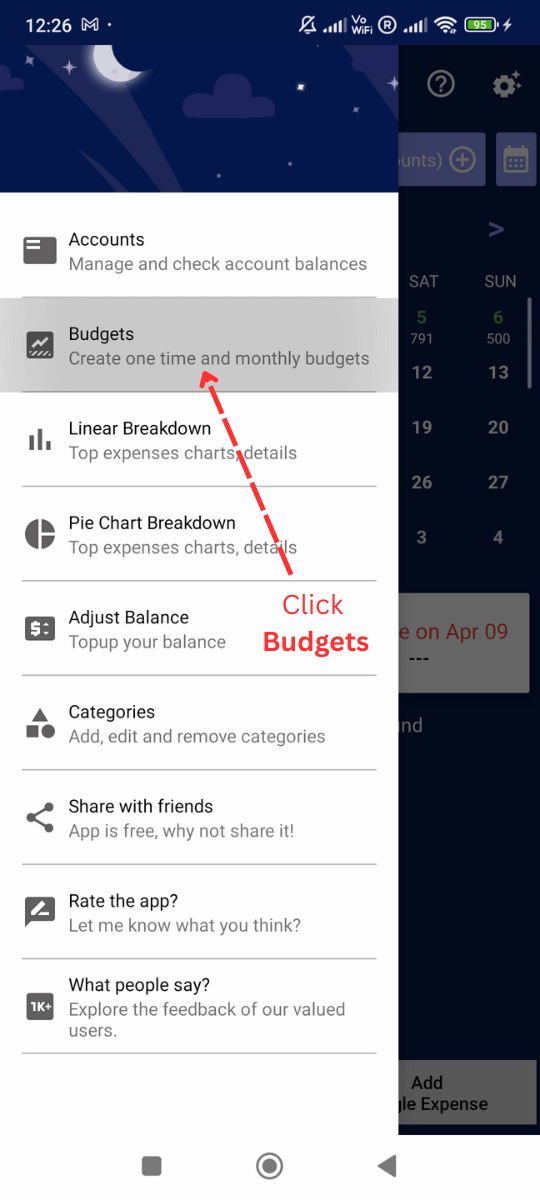
  2. Click Budgets

    Add Monthly Budget: Click Budgets
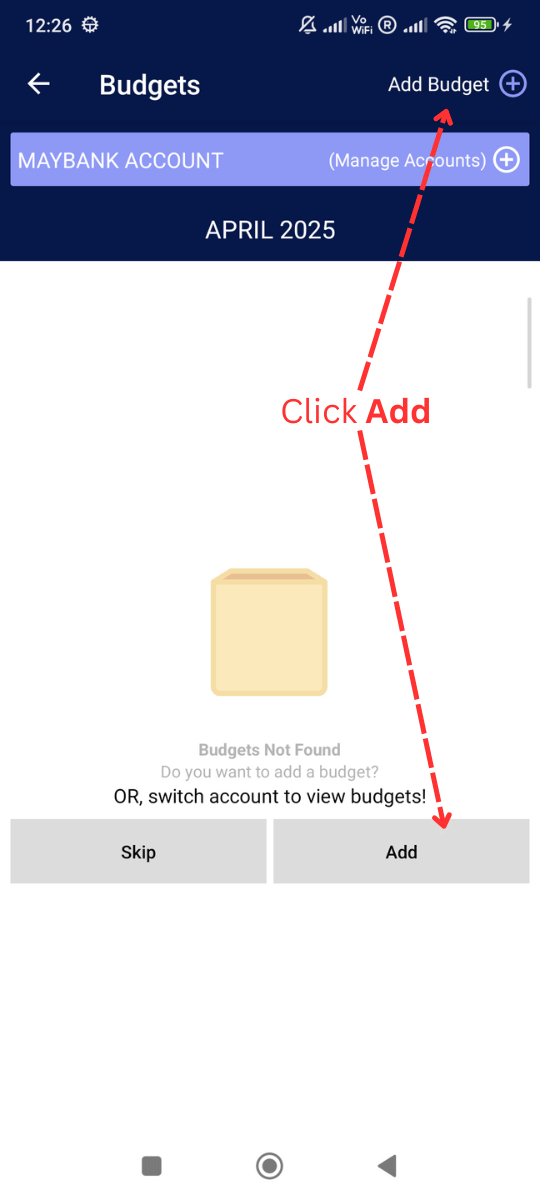
  3. You can add Budget by clicking here

    Add Monthly Budget: You can add Budget by clicking here
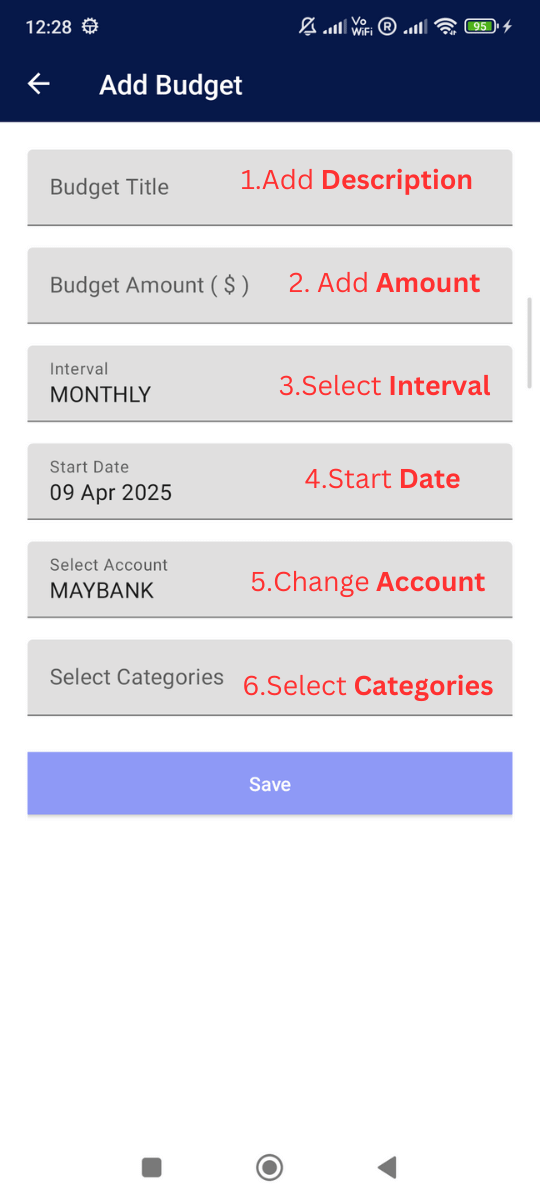
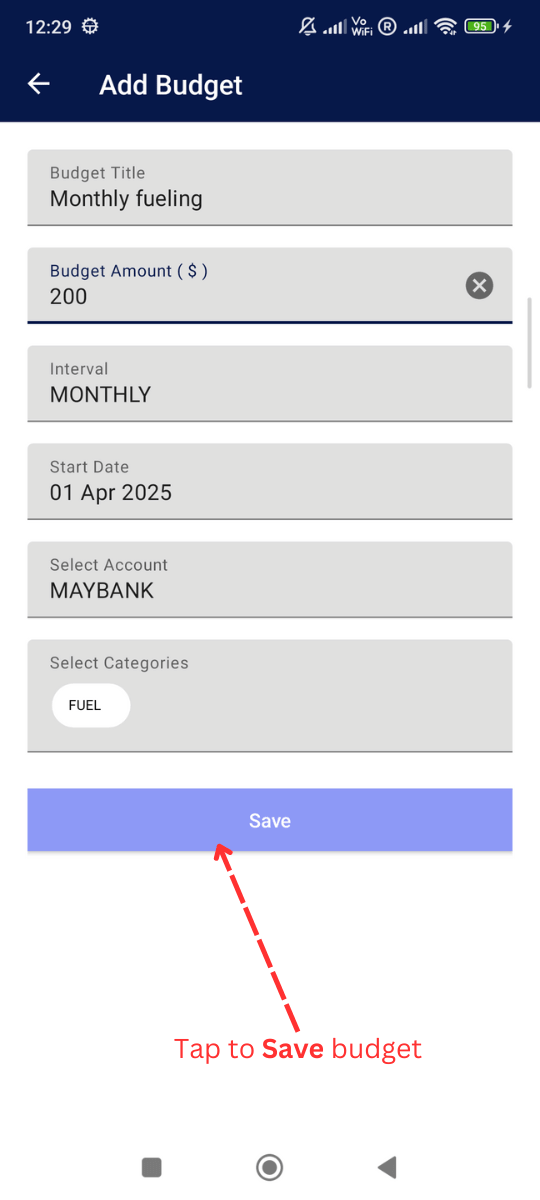
  4. Fill step by step all information

    Add Monthly Budget: Fill step by step all information
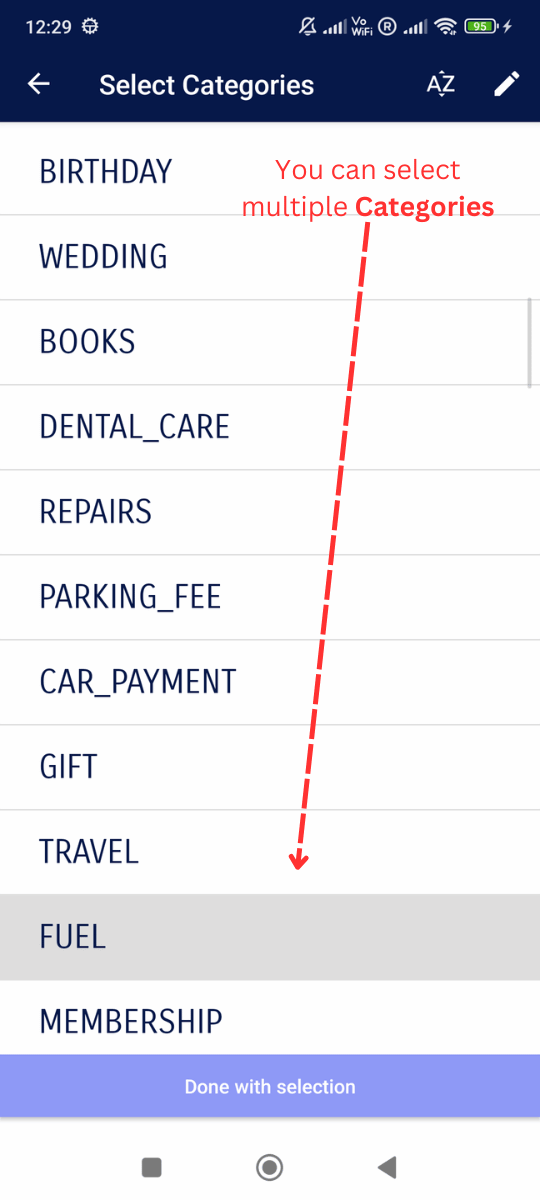
  5. You can choose multiple Categories

    Add Monthly Budget: You can choose multiple Categories
  6. Click and save the budget

    Add Monthly Budget: Click and save the budget
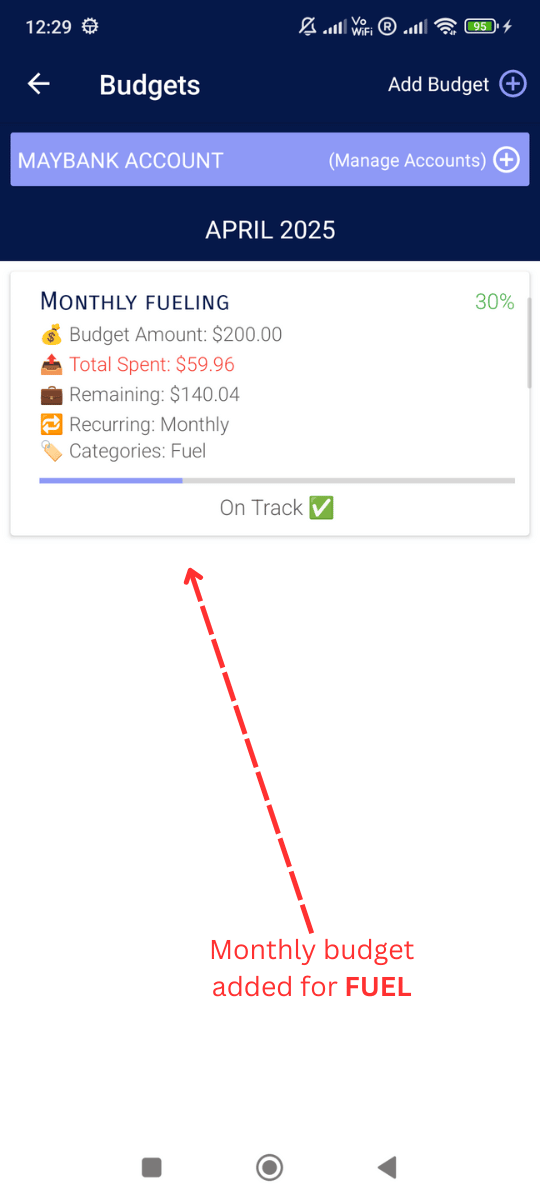
  7. Monthly budget added Successfully!

    Add Monthly Budget: Monthly budget added Successfully!
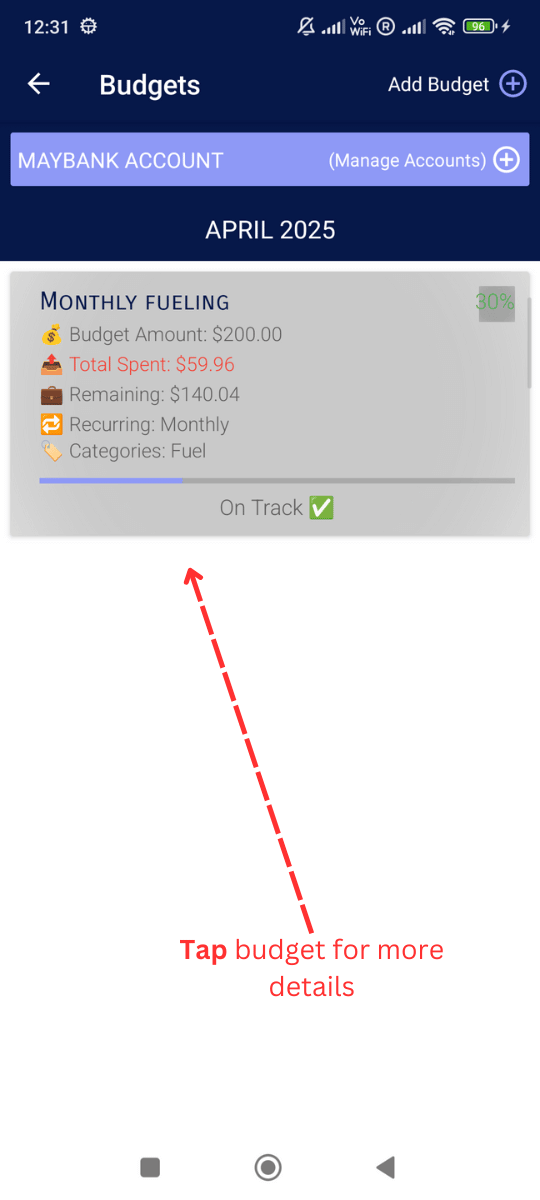
  8. Check budget details

    Add Monthly Budget: Check budget details
  9. You can Edit, delete and check transactions.
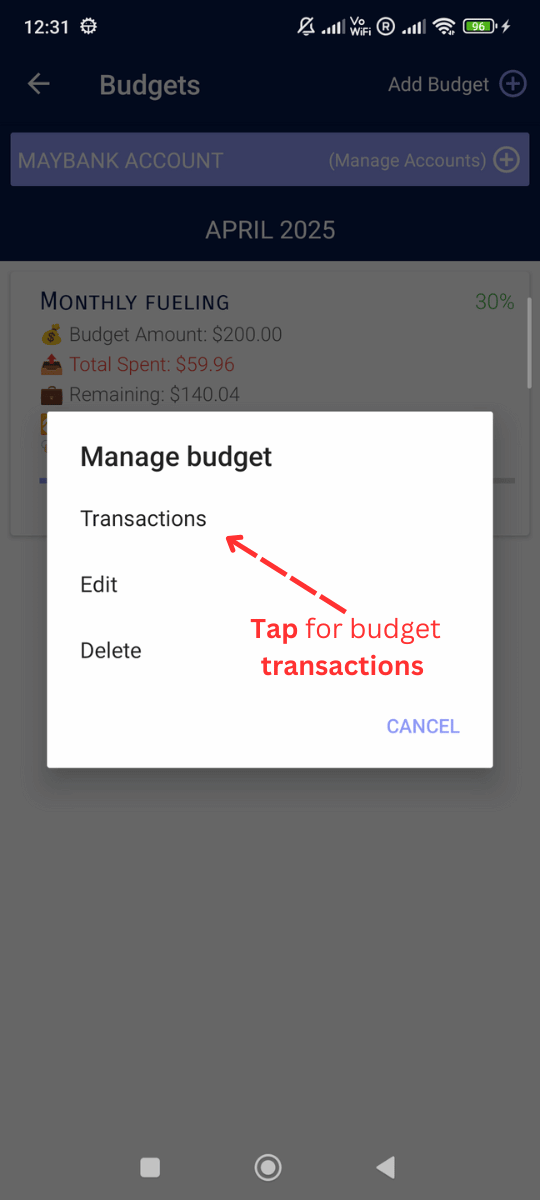
    Add Monthly Budget: You can Edit, delete and check transactions.
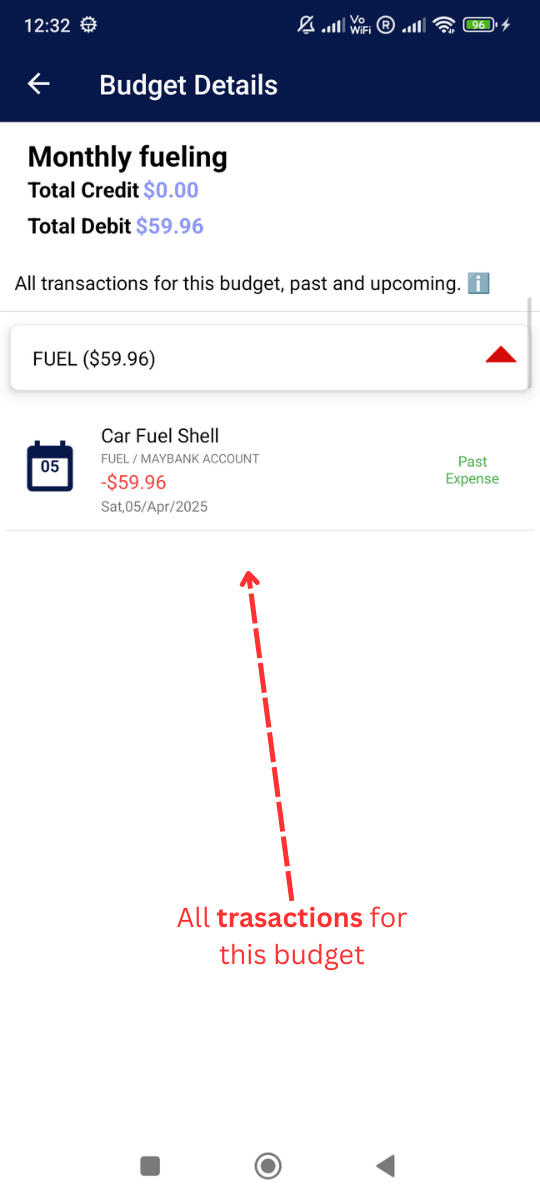
  10. Budgets transactions and summary

    Add Monthly Budget: Budgets transactions and summary